TikTok Spend Doesn't Wait for Your Next Check-In
TikTok's auction and creative-driven delivery can burn through a daily budget faster than Search or Shopping, leaving less room to react if you're only checking once a day.
A Spark Ad's CPA can shift week to week as creative fatigues, which throws off the pacing math if you're tracking it by hand.
TikTok is often the newest, smallest-budget channel in the account — exactly the one that's easiest to lose track of alongside Google and Microsoft.
Everything You Need to Pace TikTok Ads Spend
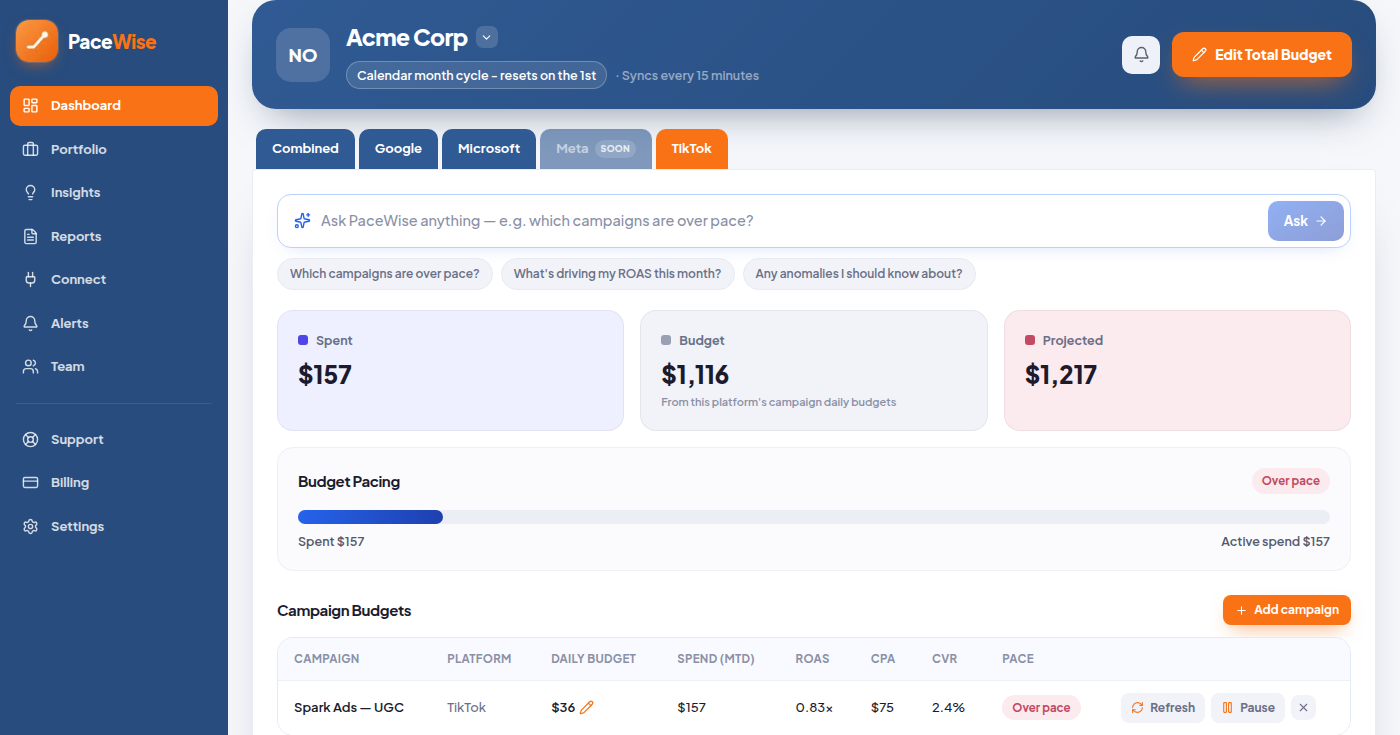
Spend against budget in real time, projected to month-end for every client and channel.
Anomaly detection catches runaway spend early, with pause or budget-shift actions you confirm.
Client-ready PDFs with your agency’s logo, on weekly, fortnightly or monthly cycles.
Budget shifts between TikTok Ads campaigns, proposed by AI and refined by you.
Calendar or custom cycles with rollover, so pacing matches the way each client actually bills.
Invite your team with Admin, Manager or Viewer roles and assign clients to owners.
Connected Through TikTok's Own Business API
Connect a TikTok Ads account from the Connect page — a standard OAuth login, no manual exports. PaceWise pulls every active campaign automatically and starts pacing against that client's monthly budget immediately, recalculating every 15 minutes against trailing spend.
When a client's spend crosses 85–90% of budget, PaceWise emails an early warning. If spend still reaches 100%, auto-pause stops the TikTok Ads campaign automatically — a safeguard you can turn off per client if you'd rather handle it yourself. Nothing changes without you: PaceWise is read-only by default, and only pauses a campaign or edits a daily budget after you confirm it on-screen, with every change logged to an audit trail. New to the concept? See our budget pacing hub for the fundamentals.
Keep TikTok Pacing as Tightly as Everything Else
Priced on ad spend, not per seat — unlimited clients and team members on every plan. Start on the free Demo plan, no card needed.
PaceWise is a next-generation, AI-powered PPC budget pacing and management platform for agencies and in-house teams. It brings spend visibility, pacing alerts and budget control across Google Ads, Microsoft Ads and TikTok Ads — with Meta coming soon.